Showing posts with label Samsung. Show all posts

Friday, June 15, 2012

My year with a Chromebook and ChromeOS: stateless in real life

Today is the one-year anniversary of the delivery of my Samsung Chromebook, the first commercially-available laptop with a stateless operating system.  So how did it go?  I'll do this in bullet points, ending with a few about what's going right with ChromeOS, and why many people still don't understand what's going on here.

--The best thing I can say about ChromeOS is that I haven't used anything else for the whole year.  There are a few exceptions: I've booted up my Windows laptop to use Skype, because some friends and I use it to stay in touch; there is no Skype version for ChromeOS.  That's more habit than anything else, Google Chat and Google Voice are fine substitutes, but the friend I talk with most often has trouble getting them to work on his Mac.  I've occasionally needed to create or edit something in Microsoft Office-compatible formats, and the locally-installed version of OpenOffice on my Windows computer still does that a little better than Google Docs. Since June 15, 2011, everything you've seen on Infrics.com has been written, formatted, and published from my Chromebook.

--Although I'm still using the same machine as a year ago, ChromeOS has grown into a completely new operating system in that time, with windows, a taskbar, drag-and-drop file ability, and as of today, even a desktop I can customize with my own images.  ChromeOS did another of its silent, in-the-background updates yesterday, and new features appeared like magic.  Notice that my own photo of the Golden Gate Bridge is now the desktop.

--One of the biggest challenges I faced a year ago was that ChromeOS didn't have a cloud-based equivalent of the familiar C:/ drive from my old computer.  I could--and sometimes had to--store things locally on the flash drive. It's still there, but in the Developer-mode version of ChromeOS I'm running, storage is now fully cloud integrated with Google Drive. I can save to, attach from, rename, delete, and drag-to-move files on the cloud directory as easily as those stored on my local machine. Or from one to the other, as shown in this screen capture.

Looks familiar: dragging a file from local storage to Google Drive, using windows on a desktop.
--I've never once been interrupted by a nag screen to update anything, or a virus scan that needs to run; neither of those is needed or possible on ChromeOS.

--The "what will I do if I have no internet" fear turns out to be unfounded. WiFi is almost everywhere, and when it's not, I use the built-in 3G Verizon connection, prepaid at 100mb/month free for two years.  Even though 100 megs is practically nothing in today's use patterns, I've never once used up the entire allotment in a month.

What's going right:


--Improvements to the user interface (UI).  The windowing environment is familiar and comfortable.  But it's all rendered using browser technologies, and has all the inherent benefits of a stateless OS.  It just LOOKS like other operating systems. I can take a sledgehammer to this machine, and not lose a thing; all I need do is sign on to a new one, and my whole world is there at once.  No other OS can make this claim, and it's huge.

--Upgrades to file management that reduce the need to store anything on the local machine.

--Improvements to web applications and Chrome extensions that extend the value of the "world from the cloud" experience.  The Google Docs suite of products is getting better--a lot better--all the time. There are more and better web apps every day, like the whole suite of photo and audio tools now available from Aviary.com.

--New ChromeOS computers that use increased power to improve the UI in resolution and speed. The heart of the stateless idea is that the local machine provides connection to the cloud and the elements of a good UI experience; that's where you can add bells and whistles with good effect.

What people still don't "get."


--Complaints about the ability to run applications locally.  They miss the point: you use a stateless OS so that you don't need local apps at all. Google has added offline viewing of documents and e-mail, and ChromeOS has always had the ability to display .pdfs, play stored audio, and show locally stored images when not connected.  But each of those is geared for what turns out to be a very small number of cases, and the number of times when the ability to run offline apps is truly needed is growing smaller by the day. Working to make the offline experience on ChromeOS more like a legacy computer is wasted energy at best, a betrayal of the stateless promise at worst.

--Comparisons to Windows-this or Mac-that.  Microsoft and Apple are battling each other to make a better steam locomotive, while the stateless future is one of jets and rockets.  Fat OSes are just plain old-fashioned now, they are only relevant because of legacy, not because of need.  If I were AAPL or MS, I'd fight to perpetuate my fat operating system, too.  But I consider that battle to be essentially over, and they both lost.

--The idea that ChromeOS devices should be cheap.  I have to confess to mixed feelings about this; yes, you need less machine to run the stateless world, that's a big part of the stateless appeal.  Some stateless devices should be so cheap as to be practically throwaways, but some may be very elegant expressions of personal taste, status, and professional standing.  Today, we're somewhere in the middle.  But it does appear clear that the initial prices we're seeing for new-generation Chromebooks reflect the ability to get people to pay more in order to say "look, I'm first."  Look for prices to drop within 6 months.

Clearly, I have a point of view here, and it's on the side of any stateless device. But I don't arrive at those feelings out of thin air.  For a look at the Infrics.com complete coverage of stateless, click the Stateless Future tab on the page header.

More soon.  Please let me know of your own experiences, or your thoughts about ChromeOS and stateless, either in the comments, or e-mail, or message me on Google+.



Thursday, November 3, 2011

Chromebook update: at 4+ months

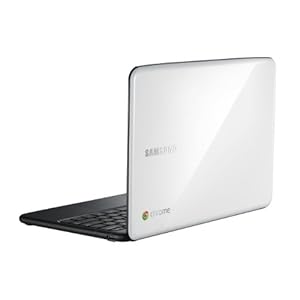
Samsng Chromebook image from Amazon.com
It's been over four months since I took delivery of my Samsung Chromebook, the first commercially available computer using Google's Chrome OS, the lightweight operating system in which applications and data come from the cloud rather than the local device.

So, how is it to live with every day, and see the benefits and shortcomings firsthand?  Is Chrome OS a legitimate way to live and work with your computer?  In a word, yeah, it is.  This is a fairly short article, because for the most part, Chrome OS just works.  I don't feel deprived by using a lightweight operating system, despite the fact that a good part of my work involves writing and creating graphics for blog articles.

My action item advice for any enterprise that's curious about Chrome OS: do a pilot, even with just a few of the leaders of your IT division and your main lines of business.  The idea will reveal its value to you through use and iteration.  You will justify it because of potential cost savings, but you'll deploy it because it makes lives better and work more productive.

That said, here are three experience reports from this field test to consider:


  • Web-based applications: I now use Google Apps exclusively to write and create graphics and presentations.  All of their services are being improved very quickly, and if you haven't tried Google Apps lately, I think you'll be pleasantly surprised.  There is a new look to the interface across the board, which I'll call "post-imitation-3D."  Shadows around buttons are gone, so are brightly-colored icons that look like jellybeans and the like.  It's very professional in appearance.  Where I live online: Faceboook, LinkedIn, TweetDeck, Google+, news sites, the infrics.com site and composition area, all are fully functional and there is no sacrifice.

    But there is a benefit.  One morning I spilled my whole cup of coffee right on the keyboard of the Chromebook.  It spluttered, zapped a bit, and shut down.  "Oh, (expletive!)" I did not want to replace a $500 machine so soon after I bought it.  But to keep working, I just booted up my regular laptop, launched the Chrome browser, and was right back to work, every word I had been writing saved to the cloud in the background.  The idea that everything you need is available everywhere you are, on almost any machine, is truly transformational; it deserves much more attention in the enterprise and the marketplace.

    By the way, both Google docs and Gmail now have offline capabilities that allow for limited use in the rare cases (like on some flights) where you can't reach the internet.  Not perfect yet, but getting much better.
  • Which leads me to Samsung's Chromebook as a machine.  The actual device is somewhat less robust and less satisfying than it should be for a primary business tool. Key action is a little too cheap-feeling, the materials are a bit low end, and I find the no-button trackpad (right click requires tapping the trackpad with two fingers, for instance) gives me less control than I'd like.  The very bright display continues to be great, and the long battery life has become my expectation; charging the laptop and using it all day on battery just feels like the way things should work.  But I want a bit more class; simple does not need to mean cheap.

    However, I am pleased to report that after the coffee spill incident, I left the machine open, on its side, in the breeze of an air conditioning vent at home for two days, hit the "on" button, and it came right back. It has continued to work flawlessly ever since.
  • Finally, what about Chrome OS in general.  I'm very impressed. The background updates have spoiled me; when I have to launch a regular computer and wait (and wait and wait and wait...) for updates to run, that just seems terribly old fashioned.  When it takes 90 seconds or more to get booted up and online, I know there is no longer any reason to put up with that. In August, I went to Google's home campus and met with a team leader from the Chrome OS-for-enterprise effort.  He told me that a growing number of enterprises "get it," and they are some of the strongest advocates. Fast and easy are my new normal. It's not that the fat-OS world is awful, it's just no longer worth it.
Anything else?  I have to say I fear Google's commitment to Chrome OS has yet to be proven; the excitement and discussion around Chrome OS has been lost in the volume of news about Android and Google+.  Will it become the next Google Buzz, and be quietly killed off later?  

With the explosion of tablet computing, when will that form factor enjoy the stateless computing benefits of Chrome OS, or will it forever be Android?  Android is maturing rapidly, but still suffers the fat-OS limitations of locally-installed software, locally-maintained data, and the need for updates to both OS and applications on a regular basis.  Google pointed out to me that both Apple and Microsoft maintain separate OSes for their mobile platforms--but that fails to answer the question, "why not stateless everywhere?"

One area where the Chrome OS idea has yet to be used to full advantage is price.  With powerful conventional-OS laptops competing in the same price point, there is really no justification for the Chromebook to cost $500.  The Acer WiFi-only model is $349.  I think there could be explosive growth in the stateless idea when the lower cost benefits of the simpler model make it to the bottom line that consumers (individual and enterprise) pay.  

Please feel free to contact me with questions about my experience, or share your own in the comments.